The GST invoice writes itself
Stop rebuilding the same invoice in Sheets after every sale. In BlackX, the order is the invoice — taxed correctly, numbered correctly, and ready to share the moment it's placed.
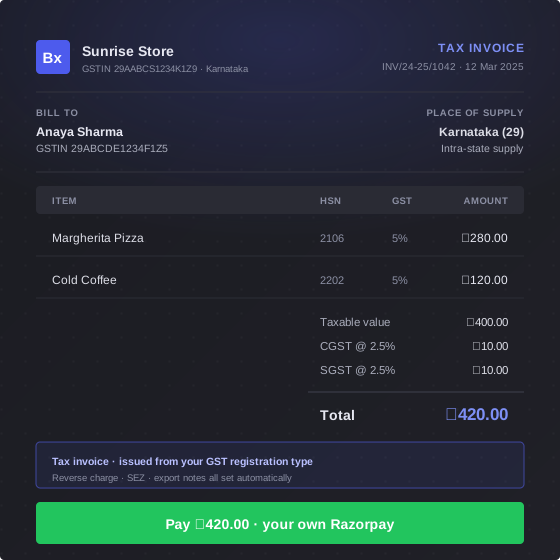
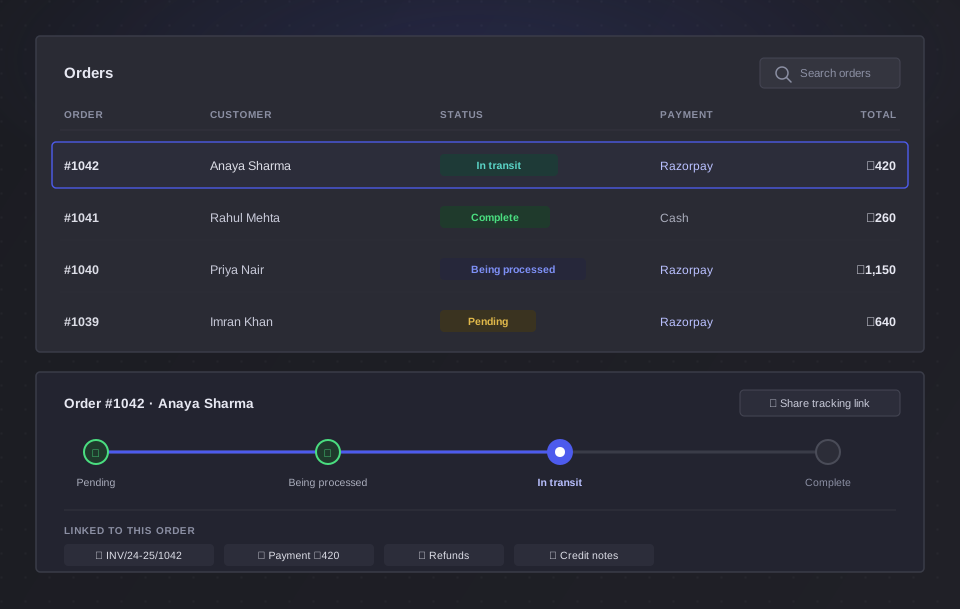
It exists before you'd have started typing
The invoice is raised the instant the order is placed — at your counter or on your storefront. There is no invoice step, because the order already did it.
- On by default — you never switch it on
- Prefer to control it? Turn auto-create off and raise invoices from the order menu instead
- A ₹0 order is marked waived off on its own
You never pick a tax type again
BlackX reads the place of supply off the order and applies the right split to every line item. These are the rules it follows — you don't have to know them.
It follows the delivery, not the billing address
Pick a delivery address in another state and the split moves to IGST with it. The place of supply is stamped on the invoice the way GST expects it, as ‘29 - Karnataka’.
Union territories done properly
Chandigarh and Ladakh take UTGST. Delhi, Puducherry and Jammu & Kashmir have their own legislatures, so they take SGST. BlackX knows the difference.
Inclusive or exclusive pricing
Price your products with tax already in, or added on top. Either way the taxable value is worked back correctly.
The correct paper, not just the correct tax
Tell BlackX your GST registration once. From then on, every customer gets the document the law expects from a business like yours.
Regular → Tax Invoice
The full GST tax invoice, with the CGST/SGST/IGST/UTGST breakup and your GSTIN on it.
Composition → Bill of Supply
No tax columns at all, and the statutory declaration printed for you. You are blocked from charging GST by mistake.
Unregistered → Invoice
A plain invoice with no tax. GST fields disappear from your product screen entirely.
The declarations, written for you
Flag a customer as SEZ or reverse-charge once. BlackX zero-rates the supply and prints the exact wording on the invoice — these are the real notes it writes.
“SUPPLY MEANT FOR SEZ UNIT - ZERO RATED SUPPLY UNDER IGST ACT, 2017”
“SUPPLY MEANT FOR SEZ DEVELOPER - ZERO RATED SUPPLY UNDER IGST ACT, 2017”
“TAX IS TO BE PAID ON REVERSE CHARGE BASIS BY THE RECIPIENT”
“Composition taxable person, not eligible to collect tax on supplies”
And when both apply at once, you get both. A composition dealer who tries to export is stopped before the order is placed, with the section quoted.
A series that resets on the 1st of April
Indian invoice numbering runs by financial year. BlackX does it the way your accountant expects, and shows you the format before you save it.
- Your own prefix and zero-padding — three to six digits
- The financial year appended automatically, and January to March counted against the previous year
- The sequence resets to 1 every April 1st, on its own
- Credit notes run on their own separate series
- Your notes and terms are stamped onto every invoice
A real invoice, not a screenshot on WhatsApp
Every invoice has its own link. Your customer opens it on any device — and it looks like it came from a company with a finance team.
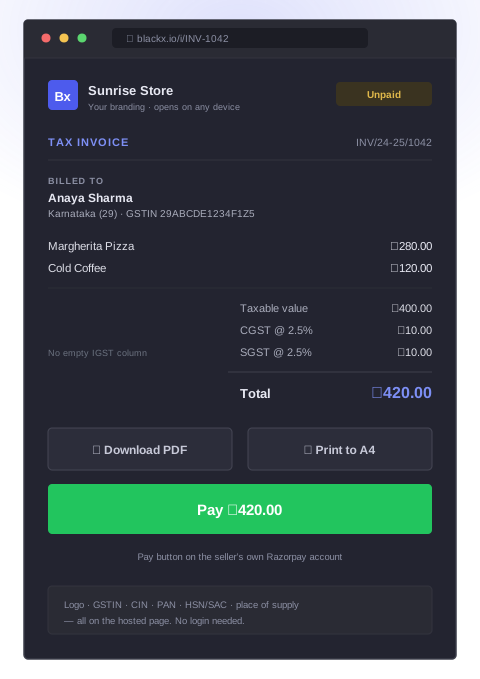
- Your logo, GSTIN, CIN and PAN — and your customer's GSTIN and place of supply
- Line items with HSN/SAC, unit of measure, add-ons and per-item discount
- Only the tax columns that apply — an in-state invoice shows CGST and SGST, with no empty IGST column
- Download as PDF, or print to A4 — straight from the page, no login
- A Pay button on your own Razorpay account, until the moment it's paid
Your B2B customers tell you their own treatment
A business buying from your online store saves its GSTIN and tells you how it should be taxed — once — so you're not fixing invoices afterwards.
They set it on their profile
Regular B2B, SEZ unit, SEZ developer, or reverse charge — saved against their GSTIN on their billing details, and reused on every order they place.
The tax updates as they type
Change the delivery address and the breakup re-splits live. If it changes, they have to look at it again before the order goes through.
Or you switch it off
One setting locks every customer to Regular treatment. It's your call, not theirs.
Credit notes with the paperwork already done
A return isn't just money going back — it's a document you're required to issue. BlackX raises it for you, in its own numbered series.
Cancel a paid order
A full credit note is raised automatically, with every line item copied across and its own number from your credit note series.
Credit back single items
Pick the items and quantities. You can't credit more than was ordered, more than is left after earlier notes, or more than the invoice itself.
Refund full, by item, or custom
Each refund raises its matching credit note. Refund by item when you need the GST reversed — a custom amount is a goodwill note without a tax breakup.
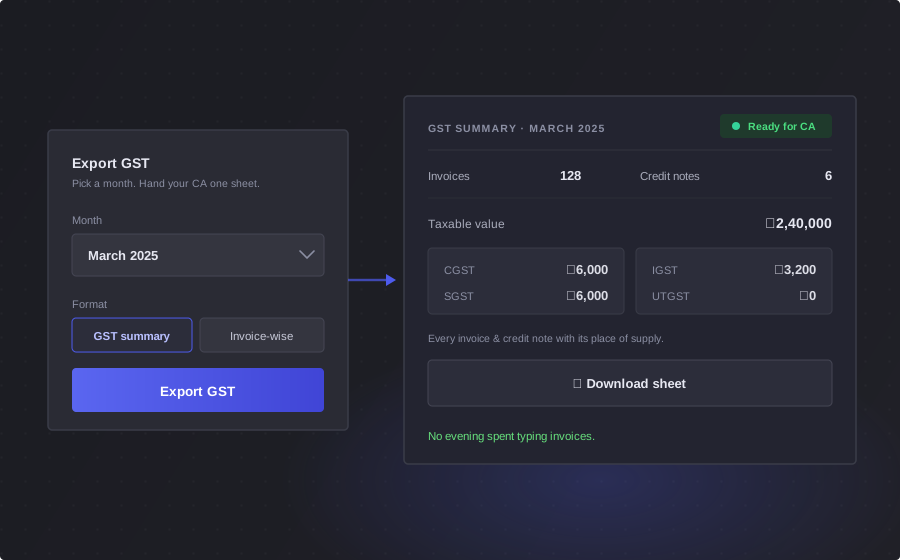
Hand your CA one sheet
Pick the month, hit Export GST, and you're done. No copying invoice numbers into a spreadsheet at eleven at night.
- Every invoice for the month, one row each, as an Excel file
- Place of supply, customer GSTIN, taxable value and the full CGST/SGST/IGST/UTGST breakup on every row
- Reverse charge and SEZ flagged in their own columns
- Credit notes export the same way, from their own page
GST invoicing questions
Does BlackX decide between CGST/SGST and IGST automatically?
Yes. BlackX uses the place of supply — your state versus where the order is going — to apply CGST + SGST inside your state and IGST across states, on every line item, automatically. In a union territory without its own legislature it applies CGST + UTGST instead of SGST.
I'm under the composition scheme. Does that work?
Yes. BlackX knows your GST registration type and issues the correct document — a bill of supply instead of a tax invoice — with the statutory declaration on it, without you configuring anything per order. It also stops you from charging GST by mistake.
Can I keep my own invoice numbering format?
Yes. You set the prefix and zero-padding, and BlackX appends the financial year and resets the sequence every April 1st. Credit notes follow their own separate series, and Settings shows you a live preview of the format.
What does my customer actually get?
A link to a hosted invoice page they can open on any device — with your branding, the full tax breakup, and buttons to download it as a PDF or print it to A4. If the invoice is unpaid, there's a Pay button connected to your own Razorpay account.
How do I get my invoices to my accountant?
Use the GST export: pick the month on the Invoices page and download every invoice as a spreadsheet, with place of supply, customer GSTIN, and the full CGST/SGST/IGST/UTGST breakup on each row. Credit notes export the same way.
What if a customer is SEZ or under reverse charge?
Mark it once on the customer record. BlackX then zero-rates the supply and prints the correct statutory declaration on the invoice — for SEZ units, SEZ developers, and reverse-charge supplies, including when both apply at once.